How to prompt Seedream 5.0 - Updated Guide
tutorial
How to prompt Seedream 5.0 - Updated Guide
Seedream 5.0 Prompts: A Deep Dive into Prompt Structure, Examples, and Advanced Techniques
Anyone who has spent hours fighting a text-to-image model knows the feeling: you paste in a wall of comma-separated tags that used to work, and the output comes back flat, cluttered, or just wrong. Seedream 5.0 prompts behave differently from the prompt styles many of us learned with earlier diffusion models. The shift is not cosmetic — it reflects a real change in how the model reads language, prioritizes intent, and resolves ambiguity. This deep dive breaks down the mechanics, gives you annotated example prompts across genres, and walks through a production workflow you can adapt for portraits, products, fantasy art, and campaign visuals.
A note on scope: Seedream 5.0 builds on the 3.x and 4.x generations, and behavior can vary slightly by release and interface. Treat the patterns below as tested heuristics, not fixed laws, and verify them in your own environment.
How Seedream 5.0 Prompts Differ from Earlier Versions
Earlier prompts were often optimized for a text encoder that chunked input into tokens and treated comma-separated fragments as loosely weighted concepts. That is why "masterpiece, best quality, ultra detailed, 8k" became folklore: it nudged a model that responded to tag density. The original work on CLIP-based guidance and latent diffusion shaped that era of prompting.
Seedream 5.0 leans much harder toward natural-language scene direction. It parses relationships between words — who is doing what, where, under what light — rather than treating each comma as an isolated concept. A descriptive sentence like "a cyclist leans into a rain-slicked corner on a coastal road at dusk" carries compositional information a tag stack simply cannot express.
What the Updated Model Means for Prompt Structure

If you are upgrading old prompts, expect to rewrite, not just append. Move from tags to sentences, but keep them factual and observable. Tag stacks still work as a fallback skeleton; they just should not be the primary structure.
A practical migration rule: for every three tags, write one sentence that explains how those tags relate. "Woman, red coat, street, night, neon" becomes "A woman in a red wool coat waits at a crosswalk under flickering neon signage, her breath visible in the cold air."
Key Improvements That Affect Text-to-Image Prompt Examples
The improvements most relevant to prompt writing are composition awareness, detail retention through later sampling steps, and stronger prompt adherence. The Imagen line of work showed how much a large language model as a text encoder improves semantic understanding of prompts, and that principle is visible in the newer generation.
A hidden insight worth internalizing: Seedream 5.0 often rewards specificity and stated intent more than generic quality tags. "Soft window light from camera left, shallow depth of field, visible skin pores" will outperform "ultra detailed, 8k, masterpiece" almost every time.
The Anatomy of Effective Seedream 5.0 Prompts

Every strong prompt answers the same underlying questions: what is in frame, what is happening, where it happens, how it is lit, how it is framed, and how it should feel. The order in which you answer them matters more than most people assume, because earlier tokens tend to anchor composition.
Essential Elements: Subject, Style, Composition, Lighting
Rank the elements by impact: subject (including action and wardrobe) first, then composition and lighting, then style, then technical camera details, then mood and texture. Changing composition and lighting alters realism far more than adding another style adjective.
Before:
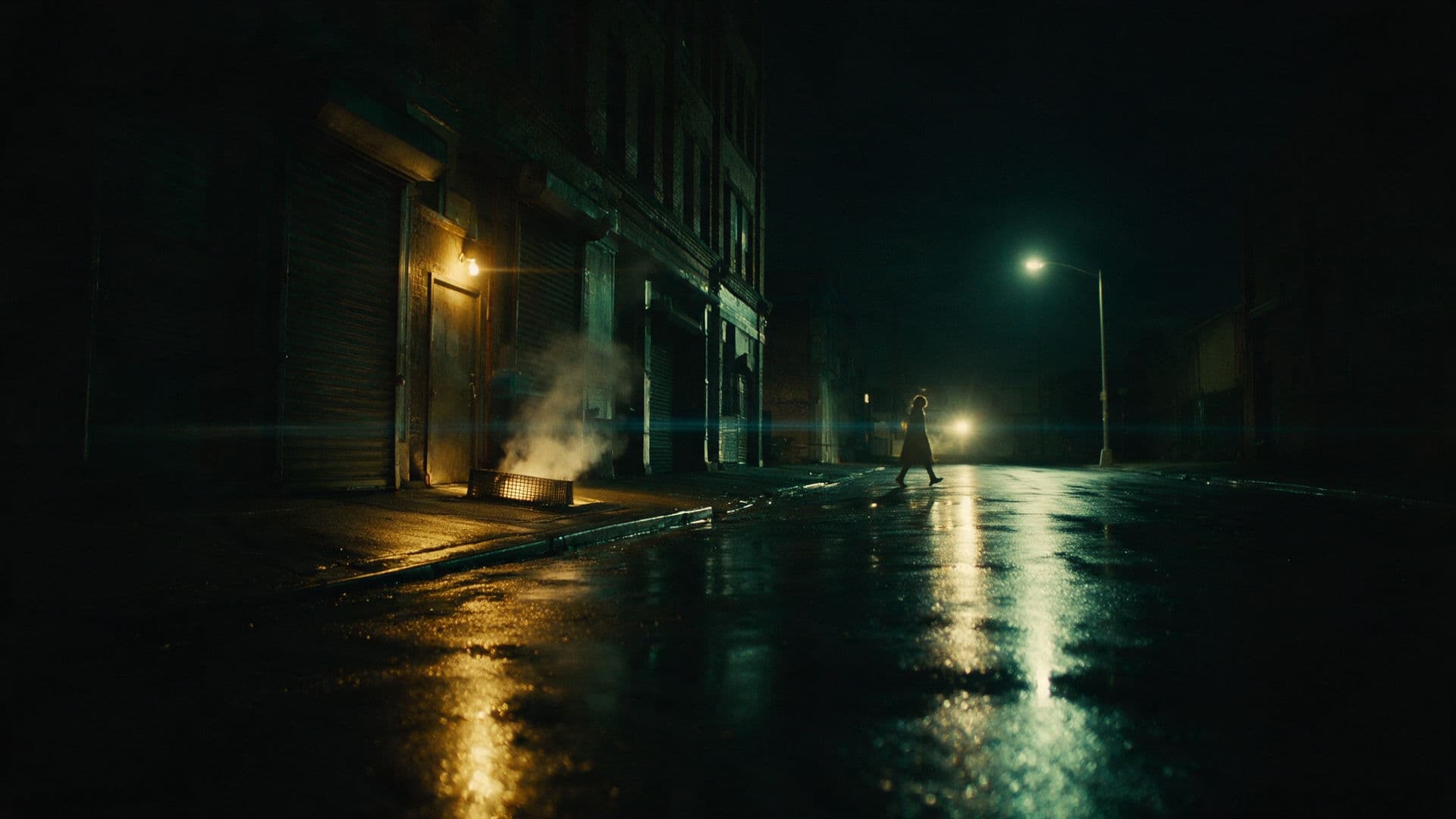
warrior, epic, fantasy, detailed, dramatic, 8kA lone armored warrior stands knee-deep in marsh water, framed slightly off-center with mist filling the background, lit by cold blue overcast light with a single warm torch flare on her leftAdvanced Modifiers: Camera, Lens, Mood, Texture, Aspect Ratio
Technical language buys realism because it constrains plausible geometry and depth. "Shot on an 85mm lens at f/1.8" implies background compression and soft falloff; "wide 24mm, low angle" implies exaggerated perspective. Add texture vocabulary — film grain, subsurface scattering, brushed metal, woven linen — to control surface rendering.
Two settings get overlooked constantly: aspect ratio and seed. Aspect ratio dictates framing before the model ever renders a pixel, so choose it with your final placement in mind. Seed control is what makes iteration scientific instead of random.
Negative Prompts and Exclusion Terms: When They Help
Negative prompts are corrective tools, not a second creative brief. They help when a specific artifact keeps recurring: stray text, watermark-like marks, extra fingers, plastic skin, or style bleed from an unrelated aesthetic. They hurt when you list everything you dislike, because aggressive negation can strip depth and texture along with the problem. If you specify "no shadows," do not be surprised when the image looks flat. If the model already handles the case correctly, leave the field empty.
Step-by-Step AI Image Prompting Guide for Seedream 5.0
This is the working spine of the article: a repeatable loop you can run for any brief, from a quick social asset to a full campaign key visual.
Step 1: Define the Core Concept and Aspect Ratio
Start with intent, not adjectives. Write one sentence describing what the image must communicate and where it will live: a 4:5 vertical Instagram portrait, a 16:9 hero banner with empty space on the right for a headline, a square 1:1 product tile. Deciding this first prevents the common trap of generating a beautiful image that cannot be cropped into your layout.
Step 2: Build the Prompt Stack
Layer the prompt in a consistent order so you can debug it later:
[subject + action] + [environment + time] + [lighting] + [camera/lens] + [style + medium] + [mood] + [output specs]
Here is a filled example: "A ceramicist's hands shaping a wet clay bowl on a spinning wheel, inside a sunlit studio with dust motes in the air, warm rim light from a nearby window, 50mm lens, shallow depth of field, natural documentary photography, calm and focused mood, 3:2 aspect ratio."
Step 3: Iterate with Seeds and Variations
Change one variable at a time and log the results. If you alter subject, lighting, and style simultaneously, you learn nothing. Lock the seed, adjust one clause, regenerate, and compare side by side. Tools like Imagine Pro, an AI-powered image generation tool that produces high-resolution images in seconds — from photorealistic photos to fantasy creations — are useful for this loop because a free trial lets you run many variations quickly before committing to a direction.
Step 4: Refine with Negative Prompts and Weights
Weighting syntax varies by interface: some use parentheses like
(rim light:1.3)::Text-to-Image Prompt Examples for Seedream 5.0
Concrete examples are the fastest way to calibrate your instincts. Each of the following includes the prompt, why it works, and how to adapt it.
Photorealistic Portrait Prompt Example
Close-up portrait of a 60-year-old fisherman, weathered skin with visible pores and
fine wrinkles, looking just past the camera, overcast harbor light, 85mm lens at f/2,
subtle film grain, muted cool palette, 4:5 aspect ratio
It works because skin texture, lens choice, and light direction are all specified. To soften the mood, swap "overcast harbor light" for "golden hour backlight with a bounce fill."
Fantasy and Concept Art Prompt Example
A cliffside observatory carved into basalt, brass instruments glinting inside,
two figures in layered travel cloaks studying a star chart, volumetric fog,
teal and amber palette, painted concept art with visible brush texture, wide
establishing shot, 21:9 aspect ratio
Worldbuilding comes from materials and architecture, not from the word "epic." Describe stylistic traits — palette, brushwork, rendering finish — instead of naming an artist.
Product and Commercial Prompt Example
A matte black wireless earbud case on a brushed concrete plinth, three-quarter
angle, softbox key light from upper left with a subtle reflected highlight,
seamless light gray background, crisp macro detail, generous negative space on
the right for copy, 16:9 aspect ratio
Background control and empty space are the commercial essentials. Keep branding areas clean by explicitly reserving them in the prompt.
Architecture and Landscape Prompt Example
A concrete and glass museum on a coastal headland, low tide, late afternoon
sun raking across the facade, small human figures for scale, 24mm lens, deep
focus, natural color grading, 16:9 aspect ratio
Time of day plus weather drives drama. Add "long exposure" for smoothed water, or "storm light with a break in the clouds" for tension.
AI Art Generator Prompts: Style-Specific Strategies
Style is a set of observable decisions about line, light, and finish. Once you learn to describe those decisions, you can target a style without relying on names.
Cinematic, Anime, 3D Render, and Illustration Styles
Cinematic prompts want lens language, motivated lighting, and color grading references. Anime prompts want line weight, cel shading, and expression detail. 3D renders respond to material names, ray-traced reflections, and studio HDRI lighting. Illustration prompts benefit from medium and tooling cues — gouache, ink wash, vector flat shading. Mixing these vocabularies within one prompt is the fastest route to muddled output.
Using Artist, Era, and Medium References Responsibly
Describe traits rather than imitating a living artist directly: "mid-century screen-print aesthetic with flat color separations and slight registration offset" conveys the look without leaning on a person's name. This is both an ethical and a practical choice — many platforms restrict direct artist imitation, and trait-based prompts generalize better across versions.
Color, Lighting, and Composition Keywords That Work
Reliable phrases include "soft window light from camera left," "single hard key with deep falloff," "split complementary palette of teal and rust," "rule-of-thirds placement with negative space at top," and "receding diagonal lines drawing the eye inward." Combine a natural-language phrase with one supporting tag when you need extra precision.
Advanced Seedream 5.0 Prompting Techniques
Once the basics are automatic, the gains come from controlling emphasis, spatial relationships, and consistency across a series.
Prompt Weighting and Token Prioritization
Order matters. Concepts placed earlier tend to dominate composition, while later clauses refine. Repetition can reinforce a concept but creates conflicting signals if the repeated phrasing contradicts itself — "minimalist clean composition" alongside "ornate gilded detail" gives the model two incompatible goals.
Multi-Subject and Scene Composition Control
Describe relationships, not just inventories. "Two dancers mid-turn, the taller one leading with an arm extended toward the left edge, the other's back to camera in the foreground" specifies placement, interaction, and depth. Use explicit spatial words: foreground, midground, behind, overlapping, facing.
How Seedream 5.0 Interprets Ambiguous Prompts
Vague evaluative words — beautiful, epic, stunning, high quality — carry little actionable information. Replace them with observable properties. "Beautiful lighting" becomes "warm side light with soft shadows and a gentle gradient across the face." This single substitution accounts for a large share of quality gains reported by experienced users.
Chaining Prompts for Complex Series
For a consistent series, keep a fixed descriptor block and vary only what needs to change. Lock the seed where supported, reuse the same lighting and lens clauses, and change only subject or action. This is the difference between a coherent campaign and five unrelated images.
Real-World Workflow: From Idea to High-Resolution Image
Theory only goes so far. Here is how a real brief unfolded, including the parts that failed.
Case Study: Creating a Campaign Visual in 30 Minutes
The brief was a hero image for a coffee subscription brand: warm, handmade, morning ritual, with copy space on the left. The first draft — "cozy morning coffee, beautiful light, high quality, 8k" — produced a glossy stock-photo look with no usable negative space. Draft two specified subject and framing: "hands cradling a stoneware mug on a wooden counter, steam rising, morning light through a linen curtain, 35mm lens, 16:9, subject placed right, empty left third." That was closer but the steam vanished. Draft three added "backlit steam catching the light" and slowed the shutter description. Ten generations later, two frames were usable. The failure lesson: metadata about mood does not create the physical effects you can see.
Rapid Prototyping with Imagine Pro
For a brief like this, rapid prototyping matters more than pixel-perfect first attempts. Imagine Pro is a reasonable complementary option here — its free trial supports quick directional tests, and it can output high-resolution finals once a direction is locked.
Testing Prompts Across AI Image Generators
Prompt behavior is not portable. Some generators overweight tag stacks, others rewrite your prompt internally, and resolution ceilings differ. Test the same prompt across two or three tools, score adherence, speed, resolution, and editing flexibility, then route work accordingly rather than assuming one model wins everything.
Refining and Upscaling Final Outputs
Upscale after composition is final. Aggressive sharpening during upscale flattens film grain and skin texture, which destroys the very detail your prompt worked to specify. Prefer mild denoise strength and preserve the original palette.
Common Seedream 5.0 Prompting Mistakes and Fixes
Most disappointing outputs trace back to one of four fixable habits.
Overcrowded Prompts and Conflicting Styles
Stacking "cyberpunk, watercolor, anime, photorealistic" gives the model contradictory instructions. Pick one primary style and let supporting clauses describe execution rather than genre.
Ignoring Aspect Ratio, Lighting, and Camera Language
Framing and light decide whether an image reads as real. Generic "8K" tells the model nothing about where the light comes from or how the frame is composed.
Overusing Quality Tags Without Specific Detail
"Masterpiece, best quality, ultra-detailed" is a substitute for description, not a shortcut to it. Delete the tags and spend those words on texture, light, and materials.
Fixing Inconsistent Characters and Objects
Use a locked seed, a stable descriptor template, and reference images where the interface supports them. Describe distinguishing features identically across every prompt in the series.
Best Practices from Professional Prompt Engineers
Experienced practitioners work systematically. They treat prompts as versioned artifacts, not one-off messages.
Building a Reusable Prompt Template
Subject: [who/what + action]
Environment: [place + time + weather]
Lighting: [direction, quality, source]
Camera: [lens, angle, distance]
Style: [medium + rendering traits]
Mood + palette: [emotional tone + color]
Output: [aspect ratio, resolution notes]
Negatives: [only recurring artifacts]
Versioning and Documenting Prompt Experiments
Keep a log with prompt text, seed, model version, date, and a short verdict. Two weeks later, that log is worth more than your memory.
When to Use Seedream 5.0 vs Other Best AI Image Generators
Choose Seedream 5.0 when you need strong prompt adherence for complex scenes with multiple subjects and precise lighting. Choose faster, lighter models for exploration, and editing-oriented tools when you need inpainting or localized changes.
Evaluating the Best AI Image Generator for Your Workflow
Score candidates on adherence, speed, resolution, editing flexibility, cost, and licensing terms. Run the same ten prompts through each and rate them blind. Imagine Pro is one option worth including in that comparison, particularly for high-resolution generation and free-trial testing.
Performance, Limitations, and Ethical Considerations
Honest expectations produce better results than hype.
Prompt Adherence vs Artistic Interpretation
Even strong models reinterpret. Long prompts lose later clauses, and abstract concepts drift toward clichés. Shorten, prioritize, and reorder before assuming the model is broken.
Copyright, Likeness, and Safe Prompting
Avoid generating recognizable copyrighted characters, real people without consent, or imagery that reinforces harmful stereotypes. Trait-based style descriptions keep you on safer ground both ethically and legally.
Benchmarks: Speed, Resolution, and Consistency
Run five prompts across three seeds each, score them 1–5 for adherence, and record generation time. That small sample reveals more than any specification sheet.
Pros and Cons of Seedream 5.0 Prompting
Strengths: strong natural-language understanding, better composition control, and reward for specificity. Weaknesses: longer prompts need pruning, weighting syntax varies by interface, and vague evaluative language still underperforms.
Frequently Asked Questions About Seedream 5.0 Prompts
How long should a Seedream 5.0 prompt be?
Most well-structured prompts land between 30 and 80 words. Below that, you lose compositional control; far above it, later clauses start competing for attention.
Can Seedream 5.0 generate text in images?
Yes, with limits. Keep text short, wrap it in quotes, and specify placement and style. Always verify spelling — short strings fare much better than paragraphs.
How do I get consistent characters?
Combine a fixed seed, an identical descriptor block for facial features and wardrobe, and reference images if your interface supports them.
What makes Imagine Pro a complementary tool?
It offers a free trial and high-resolution output, which makes it useful for testing prompt directions quickly and then producing final assets.
What are common negative prompts for Seedream 5.0?
Typical entries include blurry, watermark, text artifacts, extra limbs, deformed hands, and plastic skin — added only when those issues actually appear.
Prompt Library and Practice Exercises for AI Image Prompting
Resources and repetition beat theory. Save what works and drill the fundamentals deliberately.
Downloadable Seedream 5.0 Prompt Templates
Maintain your own library in five categories: portrait, product, fantasy, architecture, and social media. Store each as a slot-based template with two or three proven variants.
Practice Drills: Improving Your AI Art Generator Prompts
- Halve it — cut a 60-word prompt to 30 and see what survives.
- Change only lighting — same seed, same everything else, new light direction.
- Replace adjectives with details — swap "beautiful" for observable properties.
- Test aspect ratios — run 1:1, 4:5, and 16:9 on the same prompt.
- Build one reusable template — fill it five times for five different briefs.
Run these weekly and your Seedream 5.0 prompts will improve faster than any list of magic keywords could manage.