Introducing Comfy Router: One API for Frontier Media Models
analysis
Introducing Comfy Router: One API for Frontier Media Models
Comfy Router and AI Media Models API: A Deep Dive into Frontier Media Models
In the last two years, generative media has shifted from single-model experiments to multi-model production pipelines. Teams now combine image, video, audio, and multimodal systems at the quality edge—what many call frontier media models. As that stack grows, so does the cost of integrating each provider separately. Comfy Router has emerged as one answer: an orchestration layer that exposes many frontier media models through a single AI media models API. This deep dive explains the architecture, tradeoffs, and operational patterns behind that shift, with practical guidance for developers and technical leads.
1. Why Frontier Media Models Are Moving Toward One API
1.1 Defining “Frontier Media Models” in Practical Terms

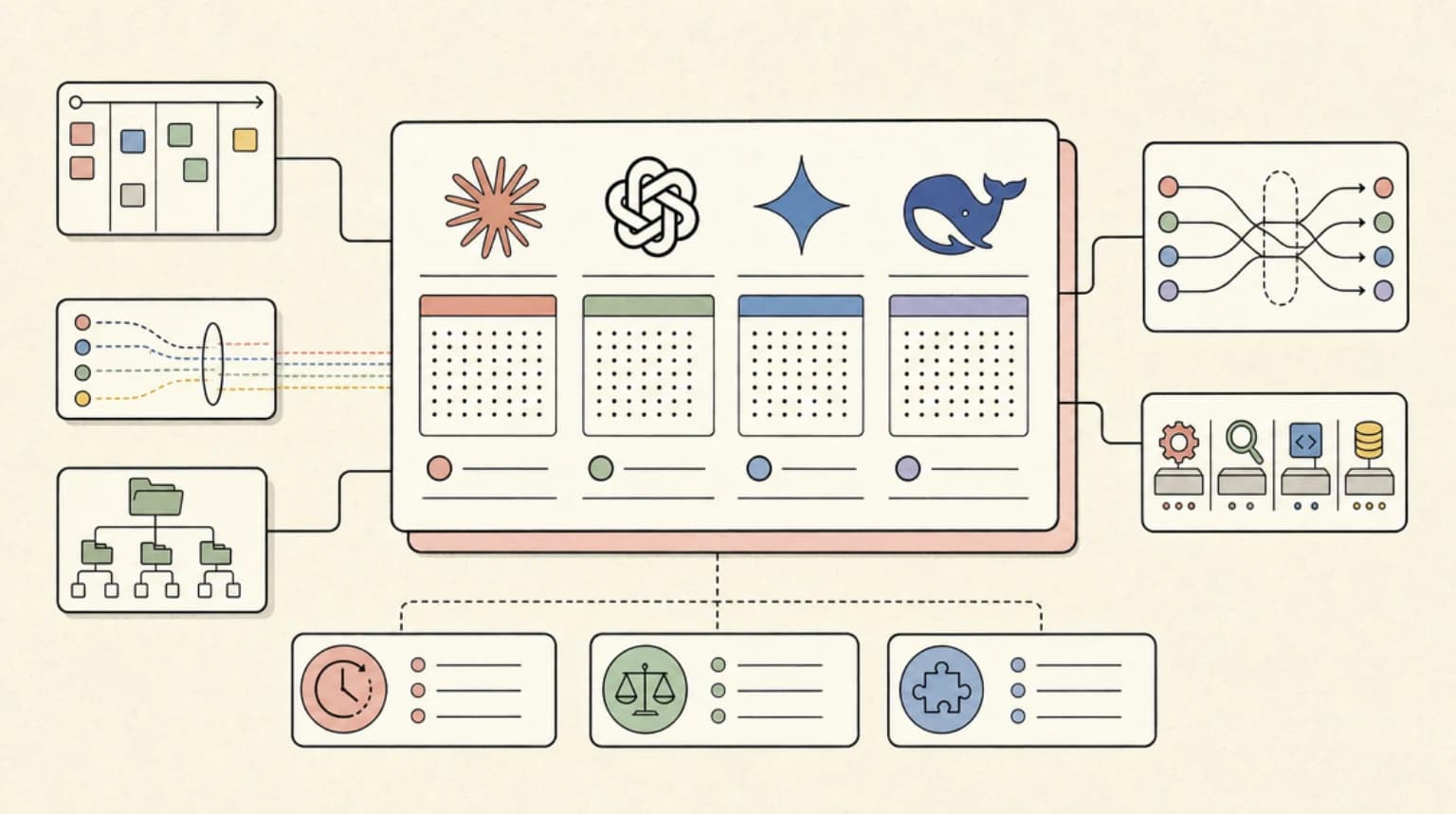
A frontier media model is any image, video, audio, or multimodal system that currently defines the best available quality for a given creative or production task. That definition is intentionally unstable. In 2023, a 1024px diffusion model was frontier for product shots. By 2025, the frontier may include 4K video generation, controllable 3D-aware image synthesis, and audio models that sync to lip movement. The label describes a moving quality edge, not a permanent product category.
For engineering teams, the practical implication is that model choice changes every few months. A pipeline built around one vendor’s endpoint becomes technical debt as soon as a better model appears elsewhere. That is the strategic reason unified routing is gaining attention.
1.2 The Hidden Cost of Fragmented Model Access

Fragmentation looks cheap at first. One API key, one SDK, one billing page. Then you add a second model for stylized images, a third for video, and a fourth for upscaling. Suddenly you maintain multiple authentication schemes, rate-limit policies, retry strategies, and output schemas. A common mistake is underestimating schema drift: one provider returns
image_urlb64_jsonIn practice, this drag shows up as glue code. Teams write normalization adapters, queue wrappers, and per-provider error mappers. They also duplicate observability. A single failed generation may require checking three dashboards. The operational drag is not the model cost—it is the engineering time spent keeping the seams from tearing.
1.3 What “One API” Really Means: Routing, Normalization, and Fallbacks

A unified API is not just a reverse proxy. It is an orchestration layer. That layer handles model selection, parameter normalization, queueing, failover, and output delivery. For example, one client might send
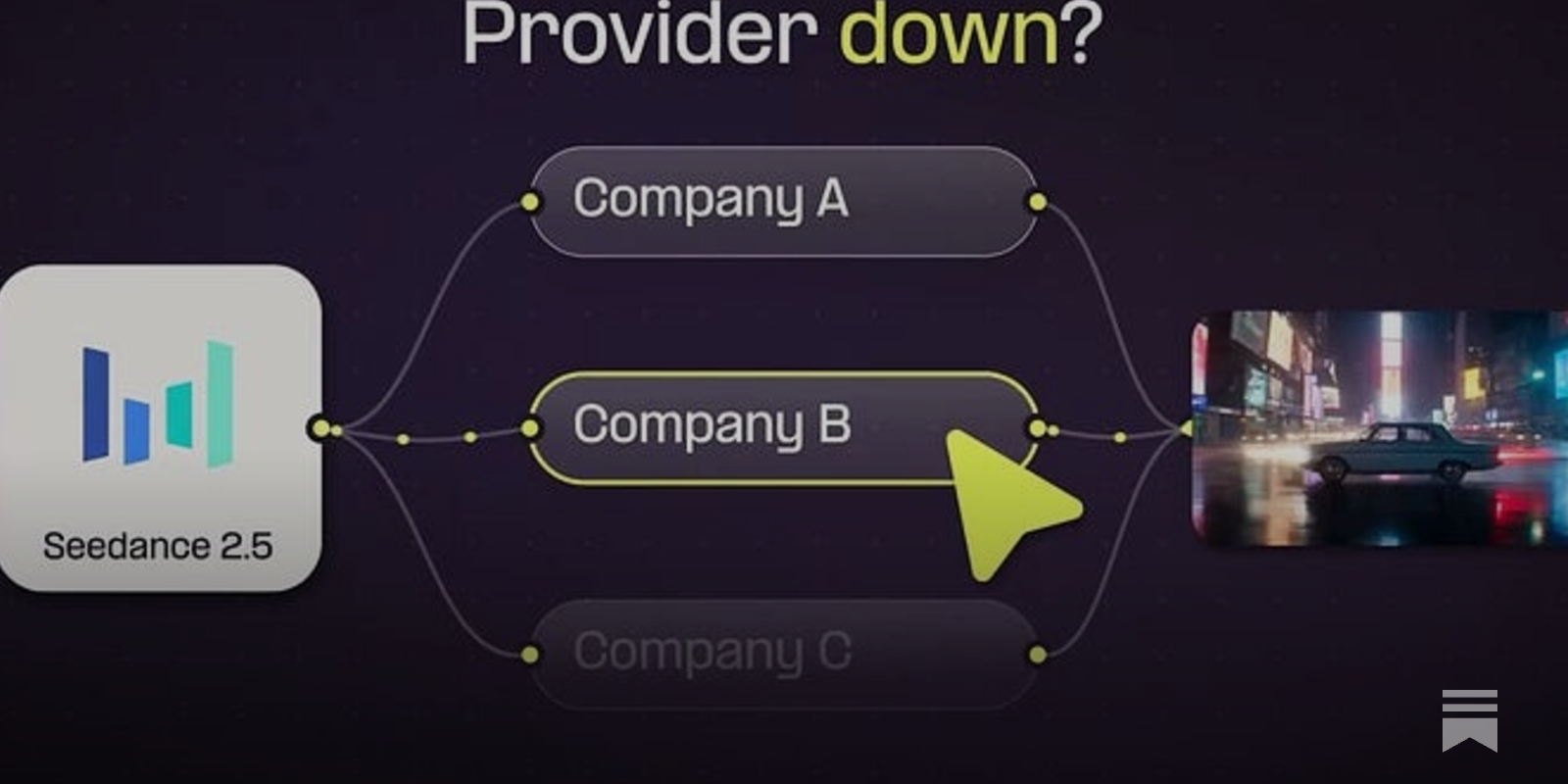
steps=30num_inference_steps=30Fallbacks matter too. If a frontier model is cold or rate-limited, the router can route to a compatible model with adjusted parameters. It can also choose a lower-cost tier for drafts and a higher-quality tier for final renders. The value is not merely fewer API keys; it is policy-driven control over how media generation happens.
2. Inside Comfy Router: Architecture and Core Capabilities
2.1 How Comfy Router Works Under the Hood

A request to Comfy Router typically follows a lifecycle: authentication, workflow parsing, model routing, GPU worker assignment, job queueing, asset storage, and response or webhook delivery. The client sends a workflow or a model-specific request. The router validates the payload, resolves the target model, and checks quota and policy. It then places the job into a queue matched to a GPU worker pool.
Once a worker picks up the job, the router streams logs and status updates. When generation finishes, assets are written to object storage, and the response includes a stable asset URL plus metadata such as seed, model version, and elapsed time. For long-running video or batch jobs, an async webhook is often more reliable than holding an HTTP connection open.
2.2 Core Capabilities: Multi-Model Access, Async Jobs, and Output Control
The strongest reason to adopt Comfy Router is multi-model access through one AI media models API. Instead of integrating five providers, you integrate one contract. That contract can expose parameter normalization, async jobs, webhooks, seed handling, LoRA support, batch processing, and multi-format output.
Seed handling is a subtle but important capability. Some models treat seeds deterministically; others add noise or use different schedulers. A router can record the effective seed and model version so a job is reproducible later. LoRA support is similarly valuable: teams can attach style or character adapters without rewriting the entire request shape. Batch processing lets you submit many prompts and receive a job group ID, which is critical for product photography or asset variation.
{
  "workflow": "product_shot_v3",
  "model": "frontier-image-v2",
  "prompt": "matte black water bottle on white background",
  "seed": 42,
  "loras": [{"name": "studio_lighting", "weight": 0.7}],
  "webhook": "https://<your-app>/hooks/media"
}
2.3 Limitations and Assumptions to Validate Before Adoption
Comfy Router is not magic. Model coverage gaps are real: not every frontier model will be available on day one, and some providers restrict commercial use or high-resolution output. Latency varies by queue depth and GPU availability. Custom node compatibility is another risk. A local ComfyUI workflow may depend on a niche node that the router does not support.
Before adoption, validate version lock-in and hidden infrastructure costs. Does the router pin model versions, or does it silently upgrade? Who pays for egress when assets are stored? What happens when a provider deprecates an endpoint? These are not reasons to avoid routing, but they are assumptions that should be written down and tested.
3. Comfy Router vs ComfyUI Image Generation: Workflow, Control, and Tradeoffs
3.1 ComfyUI Image Generation Strengths: Node Graphs, Control, and Community Workflows
ComfyUI image generation remains popular because it gives artists and engineers granular control. Node graphs make every step visible: model loaders, samplers, ControlNet, upscalers, and post-processing. Custom nodes extend the system to new techniques quickly. The community shares workflows that encode hard-won knowledge, from precise character poses to reproducible lighting setups.
For experimentation, this control is unmatched. You can change one node, compare seeds, and visually inspect intermediate latents. For a single artist or a small team, that feedback loop is often faster than any API.
3.2 Comfy Router as an Orchestration Layer for AI Media Models API Workflows
Comfy Router does not replace that creative control. It packages it for scale. A team can design a workflow in ComfyUI, then expose it through Comfy Router as a productized AI media models API. The router handles authentication, quotas, queueing, and worker assignment. Product teams get a stable endpoint; artists keep the node graph as the source of truth.
This pattern is common in agencies and game studios. The creative team iterates locally, then publishes a versioned workflow. The router routes production jobs to the right GPU pool and returns assets to a shared library. The tradeoff is abstraction: not every node maps cleanly to a routed API, so you curate which workflows become production contracts.
3.3 Migration Tradeoffs: Prompt Portability, Seeds, LoRAs, and Reproducibility
Moving from local ComfyUI to routed APIs surfaces several breakpoints. Prompt dialects differ. A prompt that works with one checkpoint may produce different results on another. Seed behavior may not be portable across samplers. LoRA availability depends on the router’s model catalog. Cross-model reproducibility is rarely exact.
The practical approach is to treat prompts as versioned artifacts. Store the prompt, negative prompt, seed, model version, LoRA weights, and sampler settings together. When you migrate, run a regression set of ten to twenty representative prompts and compare outputs visually and with perceptual metrics. This catches prompt drift before it reaches production.
4. Is Comfy Router the Right Choice, or Do You Need a Comfy Router Alternative?
4.1 Decision Criteria for a Comfy Router Alternative
Evaluate any router—or alternative—against model diversity, cost predictability, compliance, latency, support, observability, and vendor independence. Model diversity matters if your roadmap includes video, audio, or 3D. Cost predictability matters when you scale from hundreds to millions of generations. Compliance matters for healthcare, finance, and children’s products.
A Comfy Router alternative may be a direct provider SDK, a self-hosted queue, or a hosted image generator. The right choice depends on where you want to spend engineering time. If routing is not your core competency, buying or adopting a managed layer can be cheaper than building one.
4.2 Hosted vs Self-Hosted vs Hybrid Routing
| Model | Control | Maintenance | Scalability | Best for |
|---|---|---|---|---|
| Self-hosted routing | Highest | High | Depends on team | Strict data residency, custom nodes |
| Managed router | Medium | Low | High | Product teams needing speed |
| Hybrid | Medium-high | Medium | High | Creative exploration plus production |
Self-hosted gives you control over data and model versions, but you own GPU capacity, queue fairness, and failover. Managed routing reduces maintenance, but you accept provider limits. Hybrid routing is often the pragmatic middle: use a managed router for production workloads and local ComfyUI for exploration.
4.3 Brand and Model Governance: Provenance, Licensing, and Safety
Professional media pipelines need governance. Model licensing varies: some checkpoints allow commercial use, others do not. Content provenance and watermarking are becoming requirements for advertising and publishing. Moderation policies must be enforced consistently, not per provider.
Audit trails matter. You should be able to answer who generated what, with which model version, using which prompt, and under which policy. A router that logs this metadata helps with compliance and incident review. Without it, governance becomes a manual spreadsheet exercise.
5. Real-World Implementation Patterns for AI Media Models API Projects
5.1 Case Study: Batch Product Photography with Frontier Media Models
A retail team I worked with needed 8,000 product images per season. They started with a single model and a simple script. Quality was inconsistent, and retries were manual. They moved to a routed pipeline: a base prompt template, product-specific masks, and a quality-control step that rejected images with artifacts. The router selected a high-quality model for final renders and a cheaper model for drafts.
Cost tracking was essential. They tagged each job with
teamcampaignsku5.2 Case Study: Rapid Concept Art for Game Teams Using ComfyUI Image Generation
A game studio used ComfyUI image generation for concept art. Artists built node graphs for character silhouettes, environment mood boards, and prop variations. When the team grew, sharing workflows became painful. They wrapped selected graphs in Comfy Router so designers could request variations through a simple internal API.
The router handled queueing and asset storage. Artists kept the creative control. The studio used one model for fast iteration and another for final key art. This hybrid model reduced turnaround from days to hours for early exploration.
5.3 Common Pitfalls in Production: Rate Limits, Cold Starts, Cost Blowouts, and Prompt Drift
Rate limits are the most common surprise. A provider may allow 10 requests per minute, but your batch job sends 100. The router should queue and retry with exponential backoff, not hammer the provider. Cold starts add latency when GPU workers spin up. Cost blowouts happen when failed jobs are retried without idempotency. Prompt drift occurs when a model version changes and outputs subtly shift.
Mitigations include queue fairness, per-team quotas, retry budgets, and prompt regression tests. A simple canary workflow—run new model versions on 5% of traffic—can catch quality regressions before a full rollout.
5.4 Performance Benchmarks to Track: Latency, Throughput, Quality, and Cost per Asset
Track time-to-first-image, total generation time, throughput per GPU hour, rejection rate, and cost per accepted asset. Quality is harder to measure, but you can use human review, CLIP-style similarity scores, or task-specific classifiers. For teams without GPU infrastructure, hosted tools such as Imagine Pro provide a useful benchmark for time-to-first-image and creative output quality.
The goal is not to optimize one metric. It is to understand the tradeoff curve. A cheaper model may be fine for drafts but unacceptable for hero images. A faster model may save wall-clock time but increase rejection rate. Benchmarks should reflect the business outcome.
6. Choosing an AI Image Generator for Professionals: Build, Route, or Buy?
6.1 Requirements Checklist for an AI Image Generator for Professionals
A professional AI image generator should support high resolution, style consistency, API access, compliance, speed, collaboration features, and predictable pricing. High resolution is not just pixel count; it is detail retention at print sizes. Style consistency matters for brand campaigns. API access matters for automation. Compliance and collaboration features matter for teams.
Predictable pricing is often the deciding factor. Per-image pricing is easy to forecast. Per-GPU-hour pricing requires careful capacity planning. Hidden costs include storage, egress, and human review time.
6.2 Where Imagine Pro Fits for Fast, High-Resolution Creative Output
Not every workflow needs a custom router. When the goal is immediate visual output, a hosted tool can be the fastest path. Try Imagine Pro free for AI-powered image generation that produces high-resolution images and art in seconds, from photorealistic photos to fantasy creations. It is a low-friction option for professionals who need to explore ideas without managing routing infrastructure.
Imagine Pro is not a replacement for a multi-model production pipeline, but it is a strong fit for concepting, stakeholder previews, and rapid creative exploration. If your bottleneck is infrastructure rather than imagination, a hosted generator removes that bottleneck.
6.3 Hybrid Strategy: Comfy Router for Custom Pipelines, Imagine Pro for Rapid Exploration
The most effective teams often use both. Comfy Router handles complex, multi-model production workflows: batch product shots, character consistency, video sequences, and API-driven asset generation. Imagine Pro handles fast concepting and creative exploration. Designers get immediate visuals; engineers get a stable production API.
This hybrid strategy reduces time-to-value. You do not have to build a full routing layer before you can show stakeholders something. You can validate creative direction with a hosted tool, then productionize the winning direction with Comfy Router.
7. Advanced Techniques and Operational Best Practices for Frontier Media Models
7.1 Prompt Routing and Dynamic Model Selection for Frontier Media Models
Prompt routing uses a classifier or heuristic to choose the best model for a request. A photorealistic prompt goes to one model; an anime-style prompt goes to another. Cost and quality tiers can also influence routing. A draft request goes to a fast, cheap model; a final render goes to a frontier model.
Fallback prompts are useful when a model refuses or fails. The router can rewrite the prompt with safer language or route to a model with different safety behavior. Model-specific prompt optimization—such as adding style tokens for one checkpoint—can improve output without changing the client contract.
7.2 Caching, Batching, and Fallback Design for a Resilient AI Media Models API
Idempotency keys prevent duplicate jobs. Cache invalidation matters when prompts or model versions change. Batch job design should group similar requests to maximize GPU utilization. Graceful degradation means returning a lower-quality image instead of an error when a frontier model is unavailable.
Multi-provider failover should be tested regularly. A failover path that has never been exercised is not a real failover path. Use synthetic canaries to verify that fallback models accept the same normalized parameters.
7.3 Security, Privacy, and Content Moderation in Shared Media Pipelines
Shared media pipelines handle user prompts and generated assets. Data retention policies should specify how long prompts and outputs are stored. PII handling requires scrubbing or encryption. Access control should limit who can view or delete assets. Watermarking and provenance metadata help with content moderation and audit.
Moderation policies must be consistent across models. A router can enforce a common policy layer, but model providers may have different thresholds. Log moderation decisions with enough context for appeal and review.
7.4 Observability and Cost Governance for Comfy Router Deployments
Observability for Comfy Router means tracing each job from request to asset. Track queue time, GPU utilization, model version, and failure reason. Set budget alerts per team or product. Attribute costs using tags such as
teamcampaignmodelA good dashboard shows both technical and business metrics. Technical metrics catch regressions; business metrics justify investment. Without both, routing becomes an opaque cost center.
8. When to Use Comfy Router—and When Not To
8.1 Best-Fit Scenarios: Multi-Model Teams, Complex Workflows, API-First Products
Comfy Router adds clear value when you have multiple models, varied outputs, high-volume generation, and productized media APIs. If your roadmap includes image, video, and audio, a unified router reduces integration work. If your workflows are complex—multi-stage, conditional, or batch-heavy—routing pays for itself.
API-first products benefit most. A stable AI media models API lets you change models behind the scenes without breaking clients. That flexibility is valuable when the frontier moves every few months.
8.2 Poor-Fit Scenarios: Simple Single-Model Apps, Strict On-Prem, Low-Volume Experiments
Do not use Comfy Router if you have a simple single-model app, strict on-prem requirements, or low-volume experiments. A direct SDK integration may be simpler. If data cannot leave your infrastructure, a self-hosted ComfyUI setup may be the only option. If you generate ten images per week, a hosted generator is almost always cheaper than building a router.
The engineering time you save by not building a routing layer can be spent on the product itself.
8.3 Implementation Roadmap: Prototype, Pilot, Production, and Scale
Start by validating model quality with a small prompt set. Containerize the workflow and define a versioned contract. In the pilot phase, add routing policies, quotas, and monitoring. For production, add failover, audit logging, and cost attribution. Finally, scale across teams with self-service tools and documentation.
Each phase should have exit criteria. Do not move to production until you can reproduce a job from its metadata.
8.4 Total Cost of Ownership: Self-Hosted, Managed Router, and Hosted Alternatives
| Approach | Engineering Time | GPU Spend | Time-to-Value | Best for |
|---|---|---|---|---|
| Self-hosted | High | High | Slow | Strict control |
| Managed router | Medium | Medium | Fast | Product teams |
| Hosted generator | Low | None | Immediate | Concepting, low volume |
Total cost of ownership includes engineering time, GPU spend, storage, egress, and human review. A hosted alternative like Imagine Pro can have a higher per-image price but a lower total cost for low-volume or exploratory work. Self-hosted can be cheaper at massive scale, but only if utilization is high.
9. What Experts Say and What to Watch Next in AI Media Model APIs
9.1 What Official Documentation and Model Providers Emphasize
Model provider documentation consistently emphasizes API stability, rate limits, safety policies, and model versioning. Stable APIs reduce integration churn. Rate limits shape queue design. Safety policies affect prompt routing. Versioning determines reproducibility. If you build on top of providers, treat their docs as operational requirements, not optional reading.
9.2 Community Lessons from ComfyUI Image Generation Ecosystems
The ComfyUI image generation community has learned a lot about custom nodes, workflow sharing, and performance tuning. Workflows are shared as graphs, but they often depend on specific node versions. Reproducibility requires capturing the environment, not just the prompt. Performance tuning involves balancing batch size, resolution, and VRAM. These lessons transfer directly to routed APIs.
9.3 Emerging Standards for Model Cards, Provenance, and API Interoperability
Emerging standards around model cards, content credentials, watermarking, and interoperable media generation APIs are still maturing. The direction is clear: professional pipelines will need provenance metadata and licensing information attached to assets. A router that captures this metadata will be better positioned for enterprise adoption.
Conclusion
The move toward unified access for frontier media models is a response to real operational pain. Comfy Router represents one pattern: an orchestration layer that normalizes models, manages queues, and exposes a stable AI media models API. ComfyUI image generation remains the best environment for granular creative control, while hosted tools like Imagine Pro fill the gap for rapid exploration. The right architecture depends on your volume, compliance needs, and engineering capacity. Start with a clear benchmark, validate model quality, and design for fallbacks. The frontier will keep moving; your pipeline should be able to move with it.